
Zapier overview
The Healthier Business Compliance Hub app lets you connect the Hub to the other tools you use through Zapier, without writing code. A new candidate can become a row in a spreadsheet, a finished course can post a message to your team chat, and a booking can send a notification. A Zap can also act in the Hub: add a candidate, start training access, book a practical training place or ask for a reference.
It is built on the same API v2 and webhooks as the rest of this site. Everything the app does, a developer could do with the Hub SDK, the MCP server or plain HTTP calls. The app is for people who would rather click than code.
Private beta, by invitation only
The app is private. It is not in Zapier's public app directory and it cannot be found by searching Zapier. To use it you need an invitation from Healthier Business. This page does not carry the invitation link and no page of this site ever will. Ask for it, as the next section says.
Who it is for
Agencies and employers who use the Hub and want the Hub's events and records in other tools without a developer: a recruiter, a compliance administrator, an operations manager.
Developers who are asked to wire the Hub to a no-code tool. Read Data protection first, because it says what the app deliberately leaves out.
Not for Occupational Health, DBS or Right To Work. The app has no steps for them and refuses to connect with a key that can read them. See Data protection for why.
How to get access
- Write to [email protected]. Say which Hub account (client) you work for and who will build the Zaps.
- Support sends you an invitation link to the app. Open it while you are signed in to your own Zapier account and accept it. The app is then added to your account.
- Create a sandbox and a test key in the developer console (Connect the app shows how) and connect the app to the Sandbox. Try everything there first. It uses made-up data and nothing it does reaches a real person.
- When you are ready, create a live key for Zapier and connect again with the Live environment.
The invitation only adds the app to a Zapier account. It gives nobody access to any Hub data. Access to data is decided by the Hub API key you create, which is checked by the Hub on every call. If an invitation link is shared by mistake, nothing flows until someone also has a valid key.
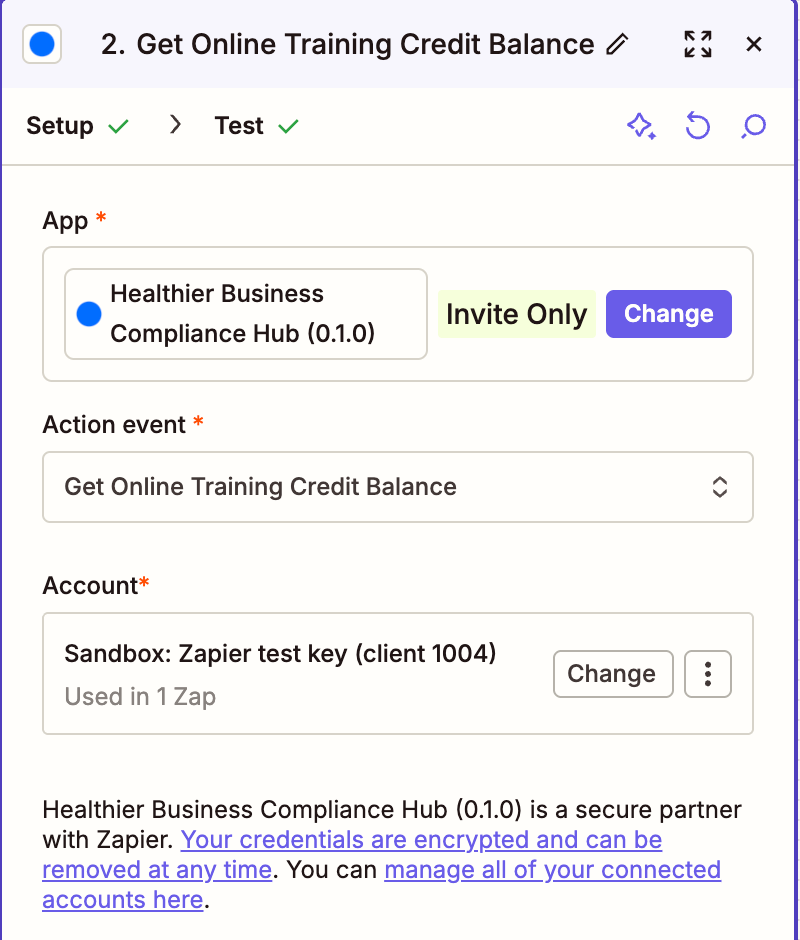
Inside Zapier, once you have accepted, search for Healthier Business Compliance Hub when you choose an app. It carries an Invite Only label.
What the app can do
They cover nine parts of the Hub: Hub core (candidates), Online Training, Practical Training, Virtual BLS, Clinical Interviews, Clinical Appraisals, References, Registration Monitoring and Training Verification. There is also one combined step, Find or Create Candidate, which looks for a candidate and adds them only if nobody matches. Recipes has four complete Zaps you can copy.
Three actions can spend your credits or money balance: Start Training Access, Approve Renewal and Request Training Verification. They are labelled
[Spends credits], need a Maximum Credits ceiling and a confirmation tick, and stop without charging anything if the live price is above your ceiling. Seven actions cancel, withdraw or stop something and are labelled [Destructive]. Actions explains each rule.What the app does not do
Occupational Health, DBS and Right To Work: no triggers, actions or searches, and a key that can read them is refused.
Assessment results: interview outcomes, scores and reports, appraisal evaluation reports and the answers referees write.
Embedding courses and tests in a web page, managing API keys and managing webhook endpoints. Use the SDK or the console for those.
Admin and billing: team roles, invoices and the credit ledgers.
Facts about this release
| |
|---|---|
App name in Zapier | Healthier Business Compliance Hub |
Zapier app id | 248944 |
Version | 0.1.0 |
Availability | Private, invitation only, never listed publicly |
Environments | Sandbox (the default while the beta runs) and Live |
Sign-in method | A Hub API key that you paste once |
Beta status
The app is in an invited beta. Be clear about what that means before you rely on it.
Tested in a real Zap so far: 2 of 126 steps (on 31 October 2026, in the sandbox). The trigger Online Training Access Started ran in a Zap after a real Start Training Access in the sandbox: Zapier subscribed through the hook, the sandbox delivered the event, the Zap ran, and turning the Zap off left no webhook endpoint behind. The action Get Online Training Credit Balance returned the balance and the credits used this month in the same Zap.
Exercised against the sandbox, but not yet in a Zap: most of the rest. The app's own code was run against the sandbox with 51 checks passed, none failed and 2 skipped. That run covers connecting, the trigger subscribe and unsubscribe, about 30 actions and searches, what is passed on and the error messages. It is not a Zap, so the other 124 steps are still recorded as untested.
Never run at all: the 410 switch-off with a real Zapier address, the signature header of a delivery, most events other than the one above (the sandbox raises them only from its console simulator), paying through a candidate payment link, and the answers to a rate limit (429).
Live is not proven. Everything above was done in the sandbox. Use the Sandbox first, and begin on Live with one Zap, a narrow key and a daily cap.
Each trigger, action and search is switched on in the app so that you can see it, but untested does not mean unsafe: the steps that spend money are guarded the same way whether tested or not. It does mean that a field label, a sample or an edge case may still be wrong. Tell support what you find. Troubleshooting says what to include.

Where to go next
Connect the app: the sandbox, the key and the connection, step by step.
Recipes: four Zaps to build.
Was this page helpful?